/ Problem
The team needed a scanner overlay effect
The FrostBound team needed a transparent display effect behind a scanner prop's glass surface - one that could animate through scan states, show visual interference, and collapse into a dot. The team needed to build a multi-layered screen effect that was both visually rich and designer-tunable without code changes.
/ Approach
Separate visual logic from behavioral control
The core architectural decision was to keep all visual complexity in a Shader Graph on the GPU, while a lightweight C# controller drives the effect through material property floats - never directly manipulating the visuals.
01 - Visual Layer
Shader Graph
Built as a transparent additive overlay on a flat plane. Composed of independent visual layers - a sweeping scan line, CRT-style grid lines, an edge glow border, a rolling interference band, and a TV static noise pattern - all summed together and masked by a collapsible rectangle that can squeeze the full image into a dot. Every layer reads from the same mesh UVs and Time node, with its own exposed intensity and color properties.
02 - Behavior Layer
C# Controller
A state machine that lerps float values over time via MaterialPropertyBlock - overall brightness, sweep progress, noise amount, collapse amount. It has no knowledge of how the shader interprets these values. The controller just drives numbers; the shader decides what they look like.
03 - Design Principle
Decoupled Iteration
This separation means the shader's visual character can be art-directed and iterated entirely within the graph, and the controller's timing and state logic can be tuned independently. Neither side requires changes to the other.
/ Implementation
Visual layers + exposed controls
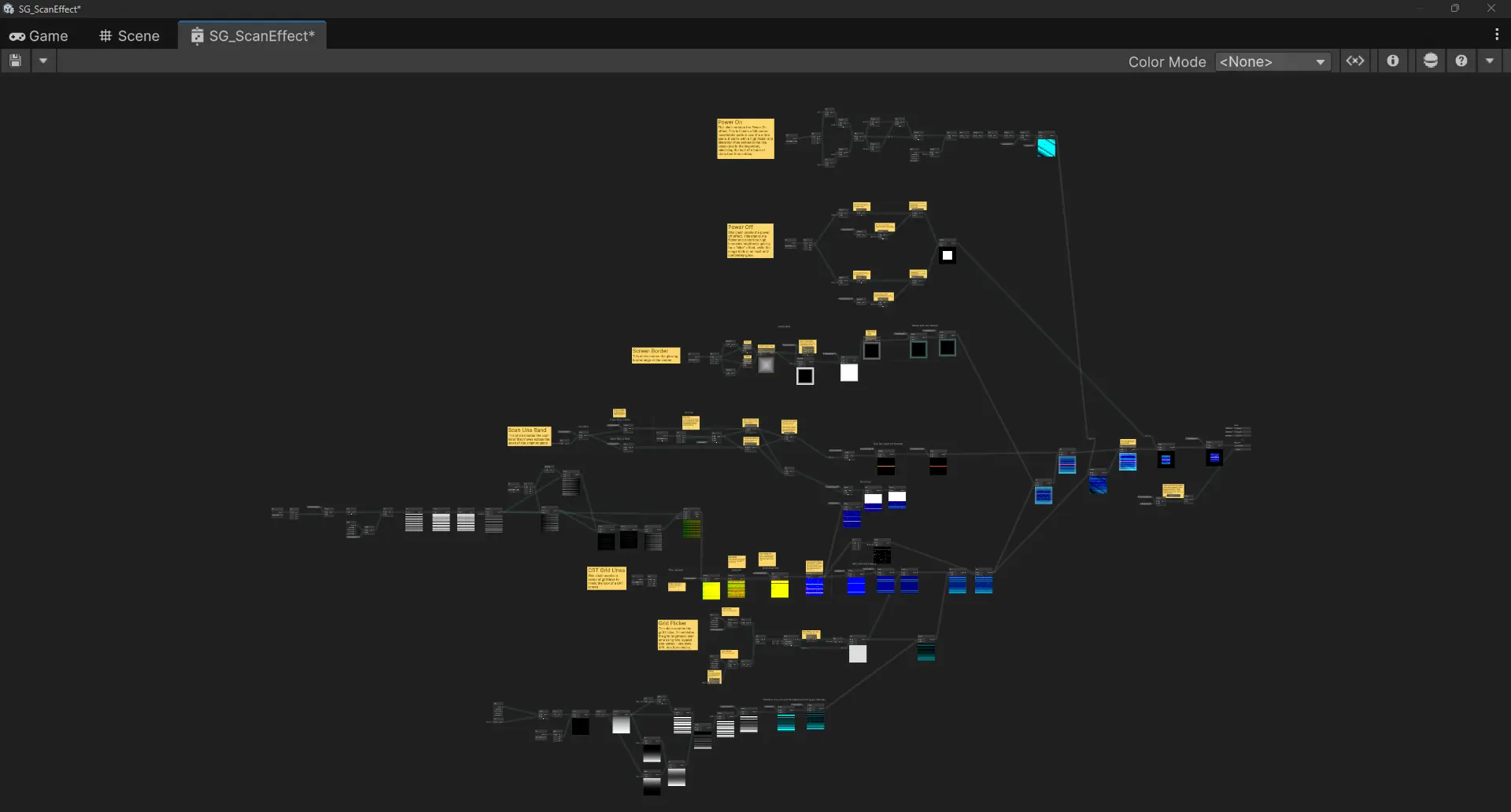
Fig. 1: Final Shader Graph
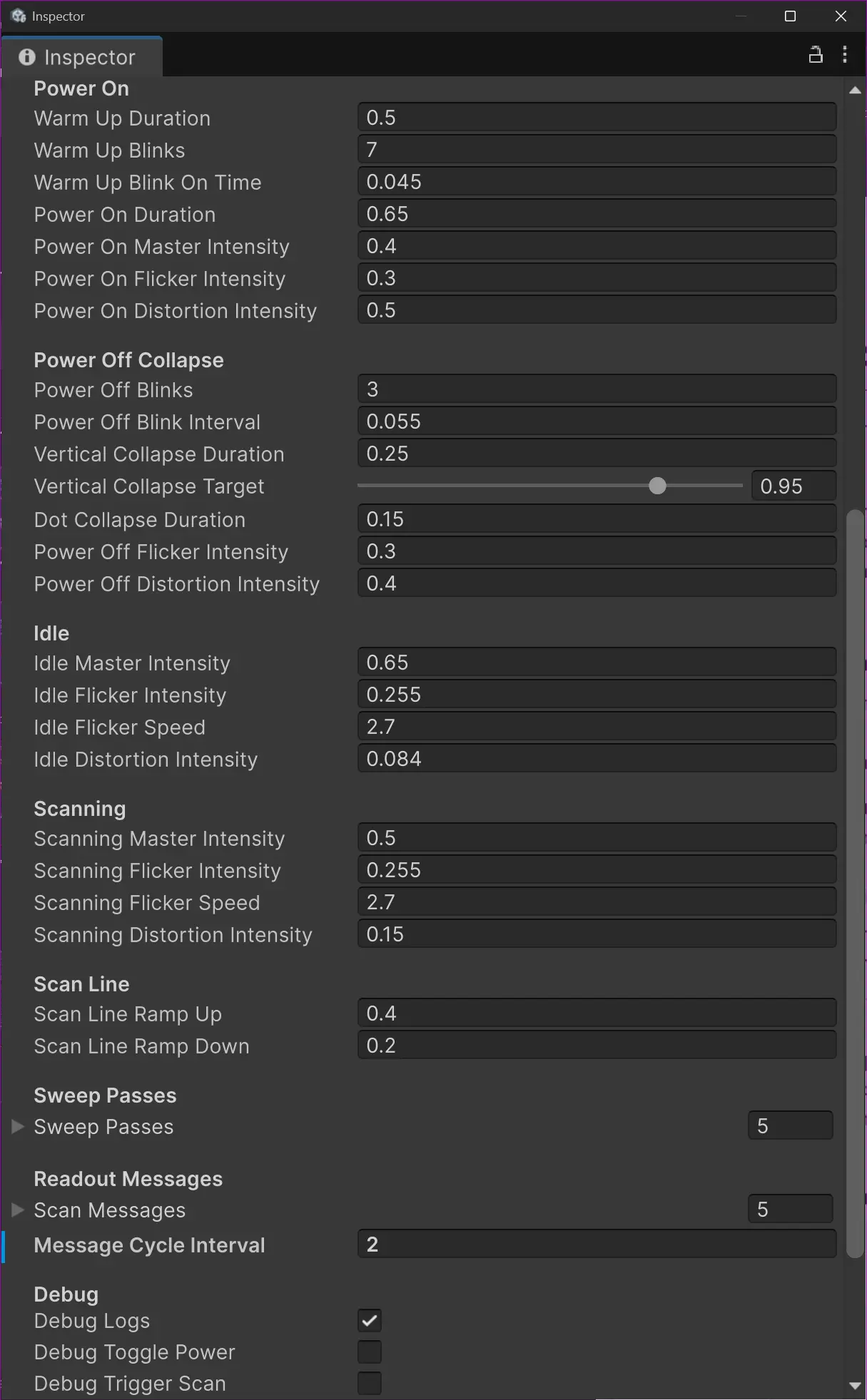
Fig. 2: Inspector Parameters
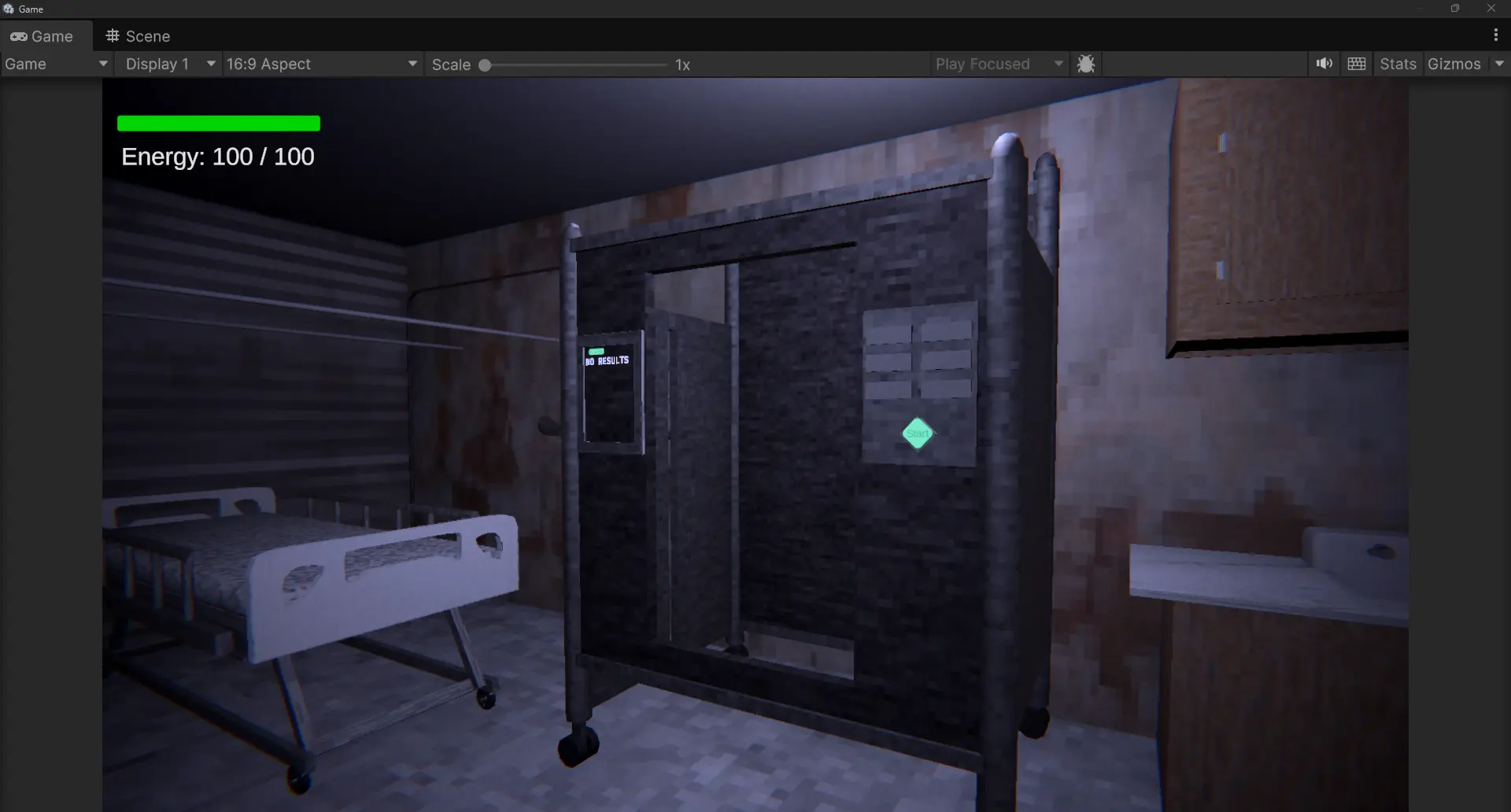
Fig. 3: In-game - Off
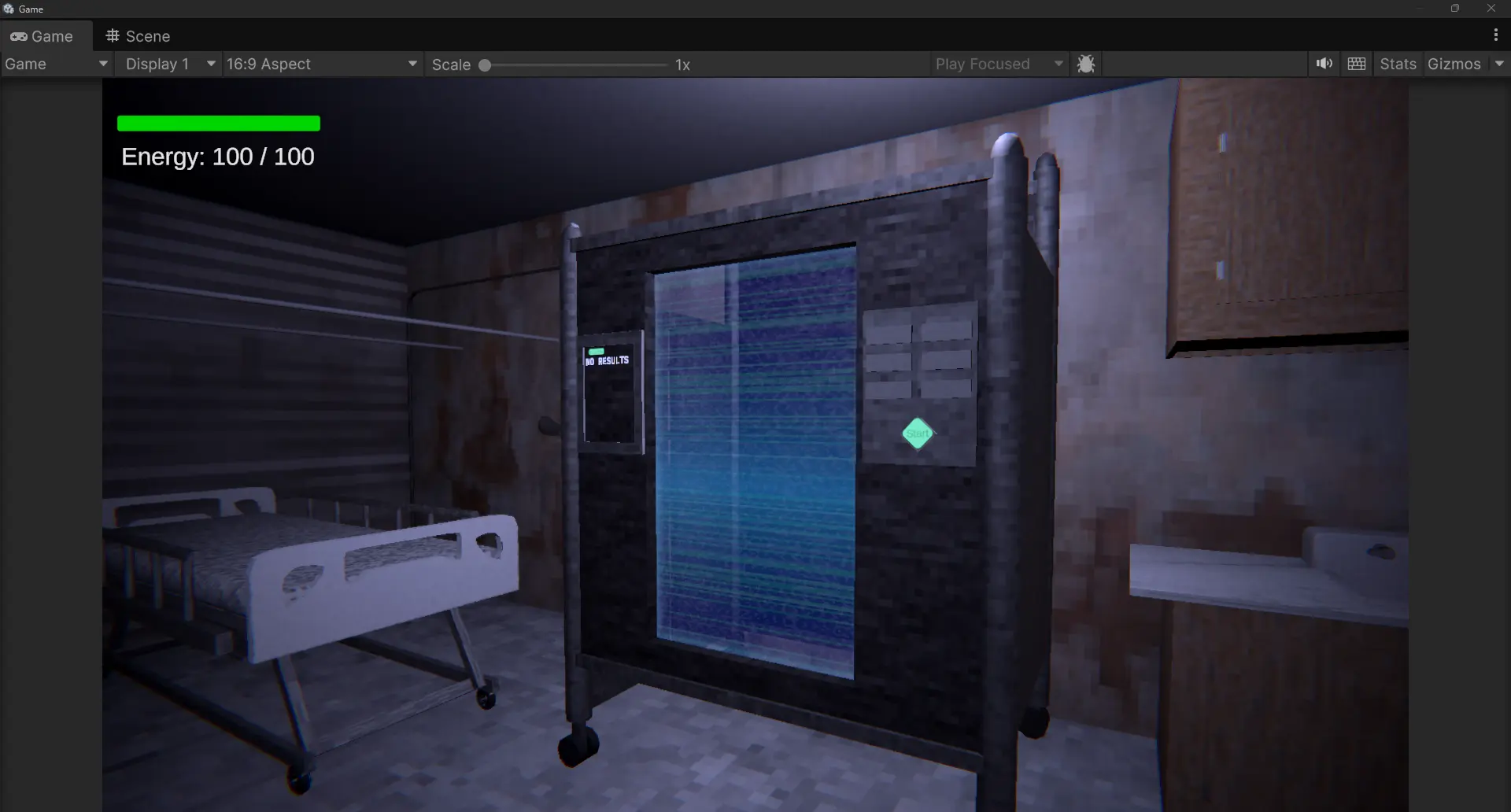
Fig. 4: In-game - On, idle
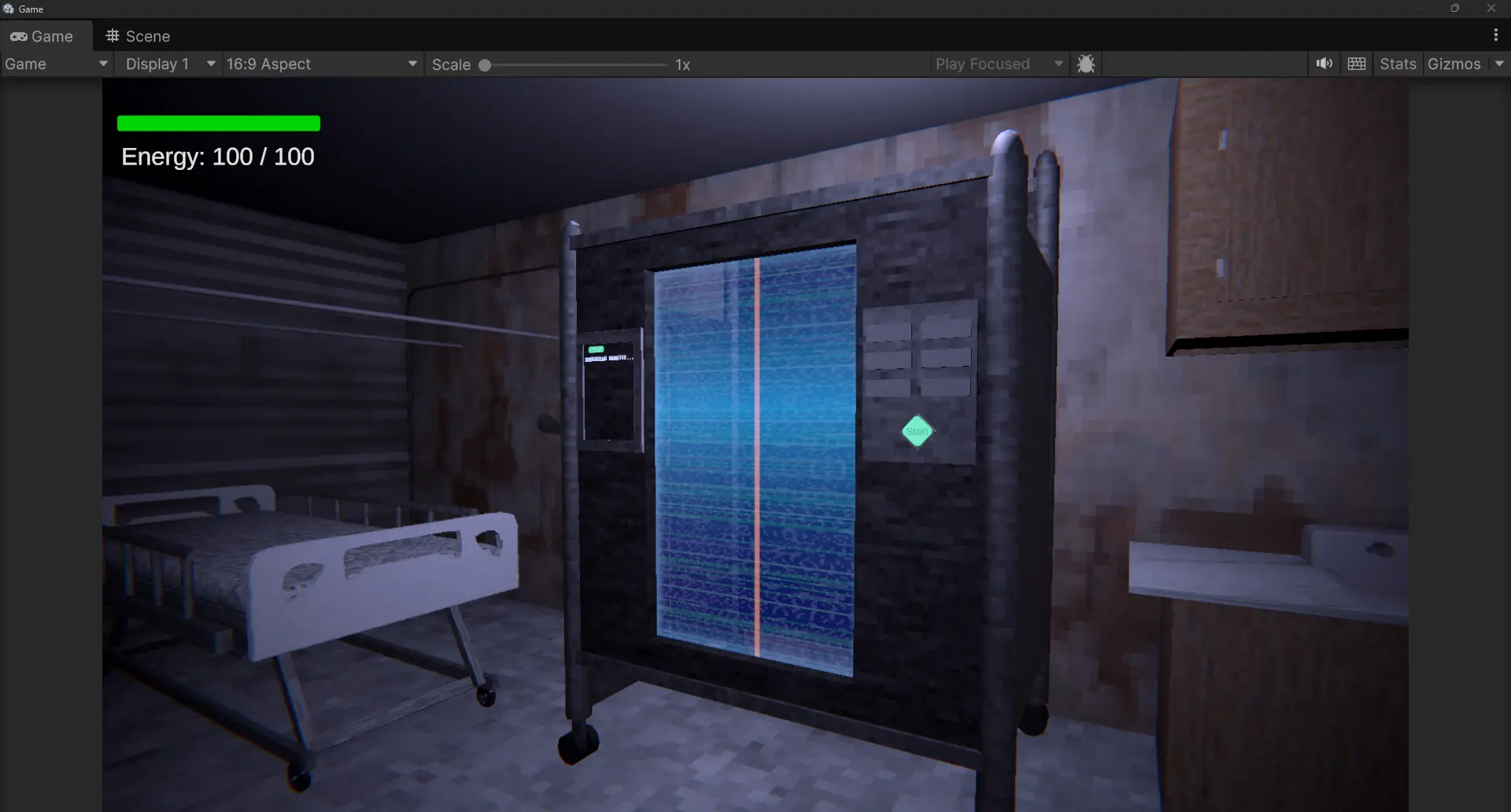
Fig. 5: In-game - On, scanning
/ Outcome
Self-contained package, designer-friendly
The scanner VFX was delivered as a self-contained package (Shader Graph, Material, Prefab, and C# controller) and integrated into the team's scene. The separation of visual and behavioral logic meant designers could art-direct the effect's look by adjusting material properties directly in the Inspector, and tune timing and state transitions in the controller - without needing to modify the shader or understand its internals.
The layered shader architecture also provides a reusable pattern: individual visual layers (scan line, noise, grid, glow) can be toggled or repurposed independently for other screen-space overlay effects in the project.
Designer-tunable
All visual properties exposed in the Inspector - no shader or code knowledge required to art-direct.
Decoupled architecture
Shader and controller iterate independently - visual changes don't require code changes and vice versa.
Self-contained delivery
Shipped as a single package: Shader Graph, Material, Prefab, and C# controller.
Reusable pattern
Individual visual layers can be toggled or repurposed for other overlay effects in the project.